

Enable notifications
During setup, eeva shows a screen to enable notifications.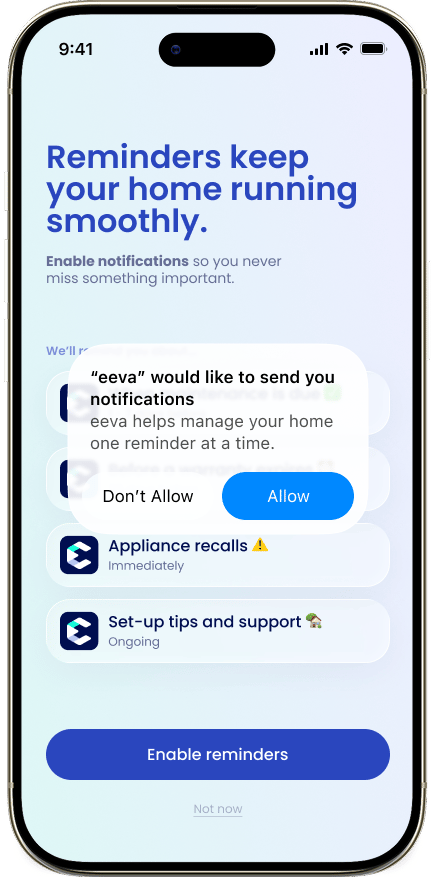
1
Tap Enable Notifications
Tap “Enable Notifications”. iOS shows its own permission prompt.
2
Allow in the iOS prompt
Tap Allow so eeva can send alerts. If you’re not ready, tap “Skip for Now” to move on.
If you tapped “Skip for Now”, you can turn notifications on later in the iOS Settings app: find eeva in the app list and enable Notifications.
What eeva notifies you about
Safety Recalls
Always on. eeva alerts you the moment a recall is found for one of your appliances.
Warranty Alerts
“Sent 30 days before expiry”, so you have time to act.
Repair Updates
“Technician status changes” as a repair moves along.
Maintenance Reminders
Nudges to keep up with recurring upkeep.
Task Reminders
Reminders for the household tasks you’ve set.
Safety Recalls stay on and can’t be turned off — they’re the alerts that matter most for your home’s safety.