

The five steps
1
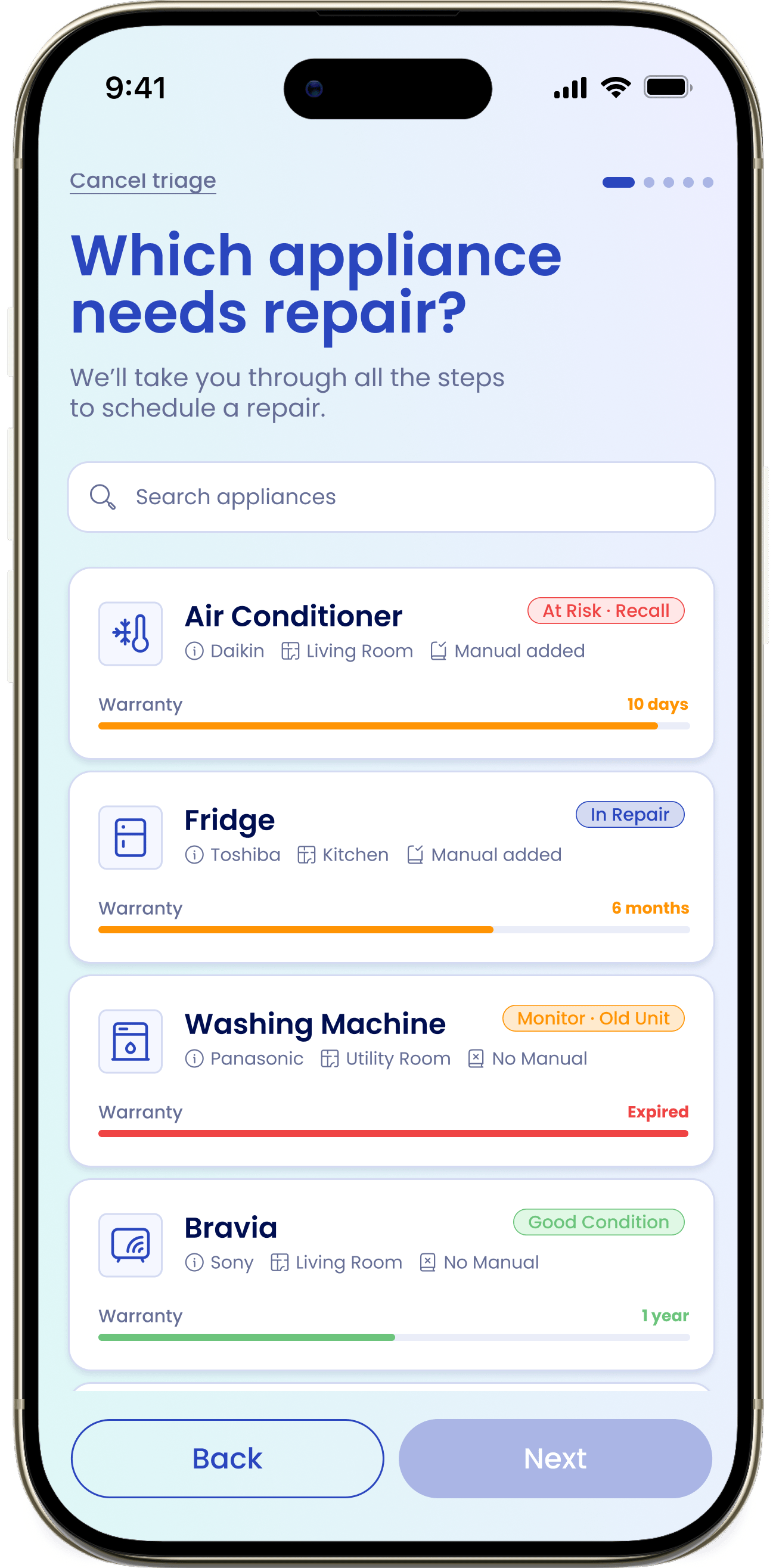
Which appliance needs repair?
Pick the appliance that’s having trouble. eeva notes, “We’ll take you through all the steps to schedule a repair.”
2
What's the issue?
Choose a symptom tile — the list is loaded for that appliance type — or pick Other and add a short description. A warranty banner tells you whether the repair is covered.
3
Try these from the manual!
eeva shows troubleshooting tips pulled from your manual, each with a citation to the source page. Mark a tip This worked or Didn’t help.
4
Let's get you in contact
Pick an existing provider or the manufacturer’s service centre, or tap Skip this step. The button becomes File repair.
5
Confirmation
You’ll see “Success! This repair has been filed.” Tap View repair to open its detail.
The warranty banner
At the issue step, eeva checks your warranty and shows one of a few messages so you know where you stand before spending anything:- Covered: “This repair will be covered by your warranty! Valid until <date>”
- Expiring soon: “Heads up! … it expires in N days!”
- Expired: “Your warranty expired on <date>. This repair will not be covered.”
- No warranty on file: “we’re not sure if this repair is covered.”
Manual-based tips
The tips step is where “eeva doesn’t guess” shows up most. Every tip is drawn from your appliance’s manual and carries a citation to the page it came from, so you can trust it and check the source.A tip worked
Tap This worked. eeva files the repair as self-resolved — you’re done, and it’s still logged to your service history so you have a record.No tips or no manual
If eeva has no manual or no relevant tips, it won’t make anything up. You’ll see a message along the lines of “eeva doesn’t guess! … let’s go straight to the experts,” and triage moves you to the contact step.Reaching a technician
At the contact step you choose who does the work: an existing provider, the manufacturer’s service centre, or Skip this step to file the repair without a contact for now. Once you confirm, eeva files the repair and takes you to the confirmation.The self-resolved confirmation reads “Success! You fixed it yourself.” instead of the standard filed message.