

1
Open the appliance
From the House tab, open the appliance from your list “Appliances”.
2
Choose Add Receipt
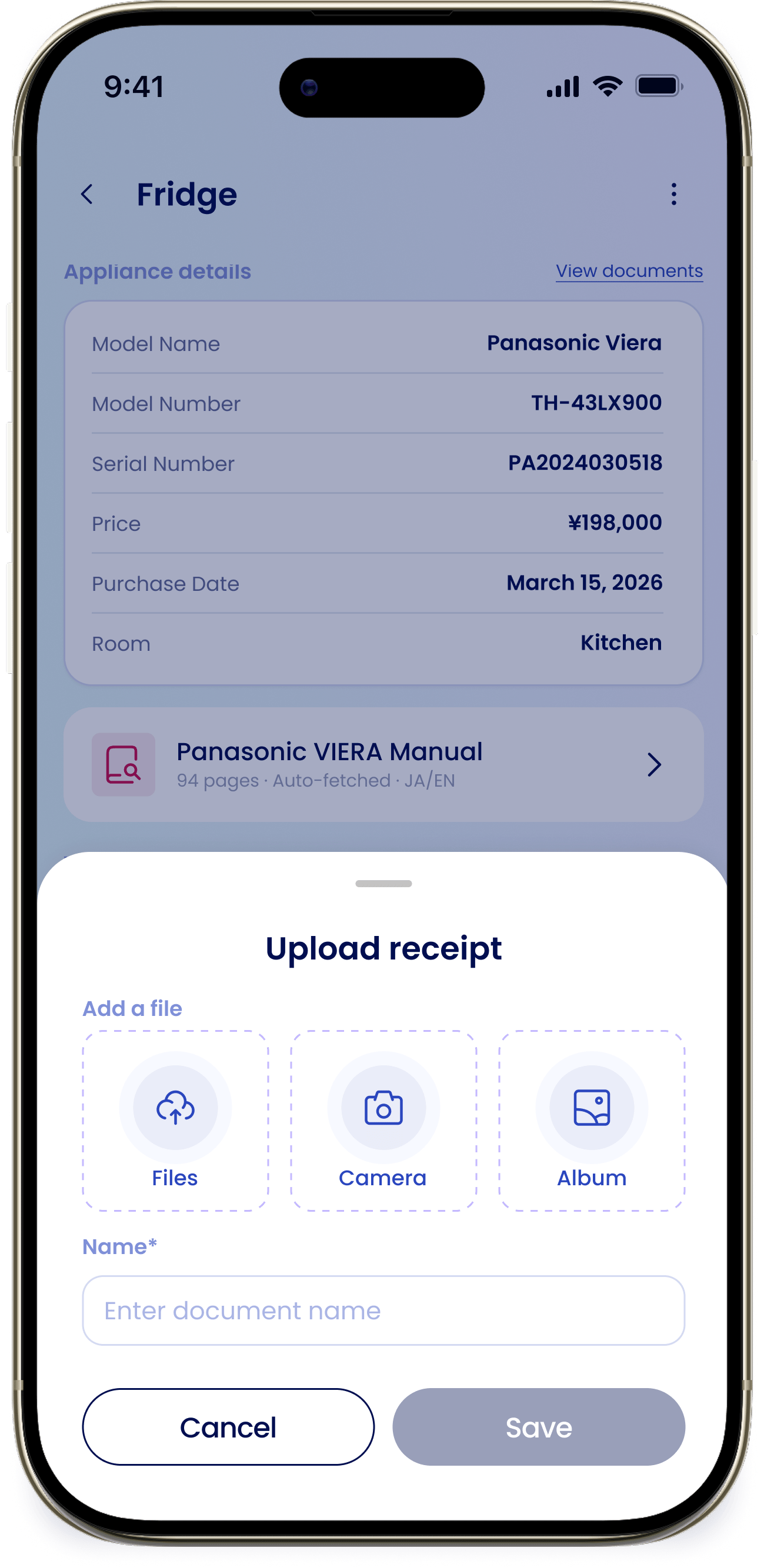
In the “Take action” section, tap “Add Receipt” to open the “Upload receipt” sheet.
3
Add the file
Under “Add a file”, choose “Files”, “Camera”, or “Album” to pick or snap the receipt.
4
Name it and save
Enter a “Name” (required) so you can find it later, then tap “Save”.