

File a repair
Repairs start with triage, a short wizard that picks the appliance, the issue, and whether there’s a fix in the manual before connecting you with someone to do the work.1
Start a repair
On the Maintenance tab, tap Start a repair — or open the Maintenance Log, tap +, choose Start a repair, and tap Continue.
2
Go through triage
Pick the appliance, describe the issue, try any tips from the manual, and choose who to contact. eeva files the repair at the end.
3
Open the repair
On the confirmation screen, tap View repair to open its detail and take it from there.
Track a repair
Open a repair from the log or from View repair to reach the repair detail. Its title is Scheduled Repair while active, or Repair otherwise.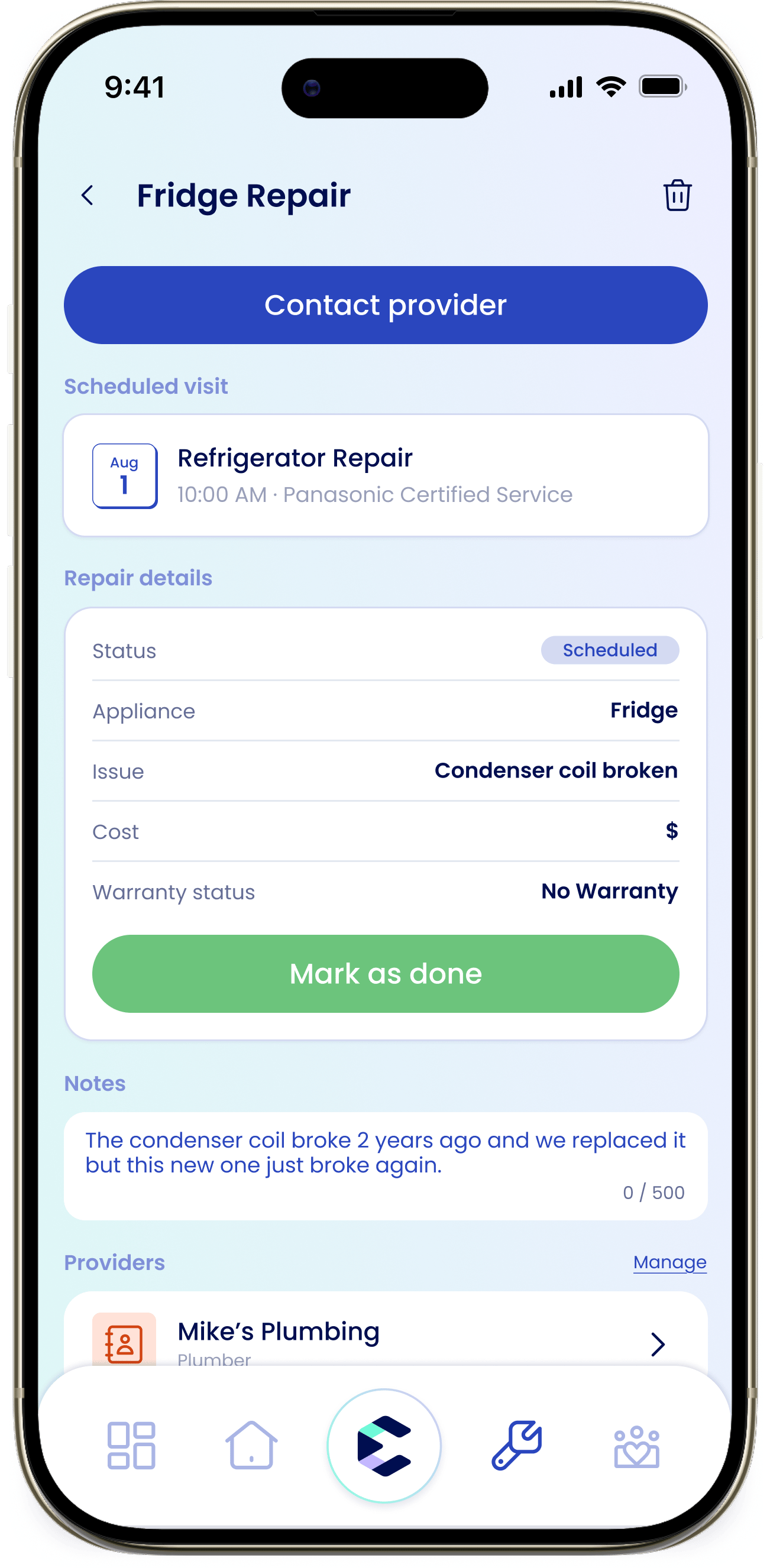
Schedule a visit
In the Scheduled visit section, tap Schedule to open the schedule sheet. Fill in Title (for example, Fridge Repair), a Date, and an optional Time, then save. The visit shows on your repair and moves the timeline forward.Statuses and progress
A repair moves through these statuses: filed, scheduled, in progress, complete, canceled, and self-resolved. The Progress timeline tracks the three main milestones: Repair filed → Visit scheduled → Repair complete.Add cost, notes, and documents
The Repair details section holds Cost and Warranty Status. Use Notes for anything worth remembering, and Documents to attach receipts or photos. You can also link or contact a provider from the detail.Mark it done
When the work is finished, tap Mark as done. The repair moves to complete and stays in your service history.I fixed it myself
If a manual tip solved it during triage, eeva files the repair as self-resolved and still logs it to your service history, so you have a record of what happened.Where do repair documents go?
Repair documents upload to eeva, so they’re available across your household. (Maintenance documents and planned cost, by contrast, stay on your device.)To link the right person to a repair, see Providers for repairs & maintenance.