

How monitoring works
When you add an appliance, eeva starts watching for recalls on that model as part of what it auto-fetches. If a recall is issued, it surfaces on your Dashboard and on the appliance itself. No setup is required.How eeva finds recalls
eeva checks your appliances against official recall data — in North America, the U.S. Consumer Product Safety Commission (CPSC) — matching by brand and model.Monitoring is always on and can’t be turned off. It runs on a regular sync (about once a day), so a newly posted recall may take up to a day to show up. It isn’t instant.
Read a recall alert
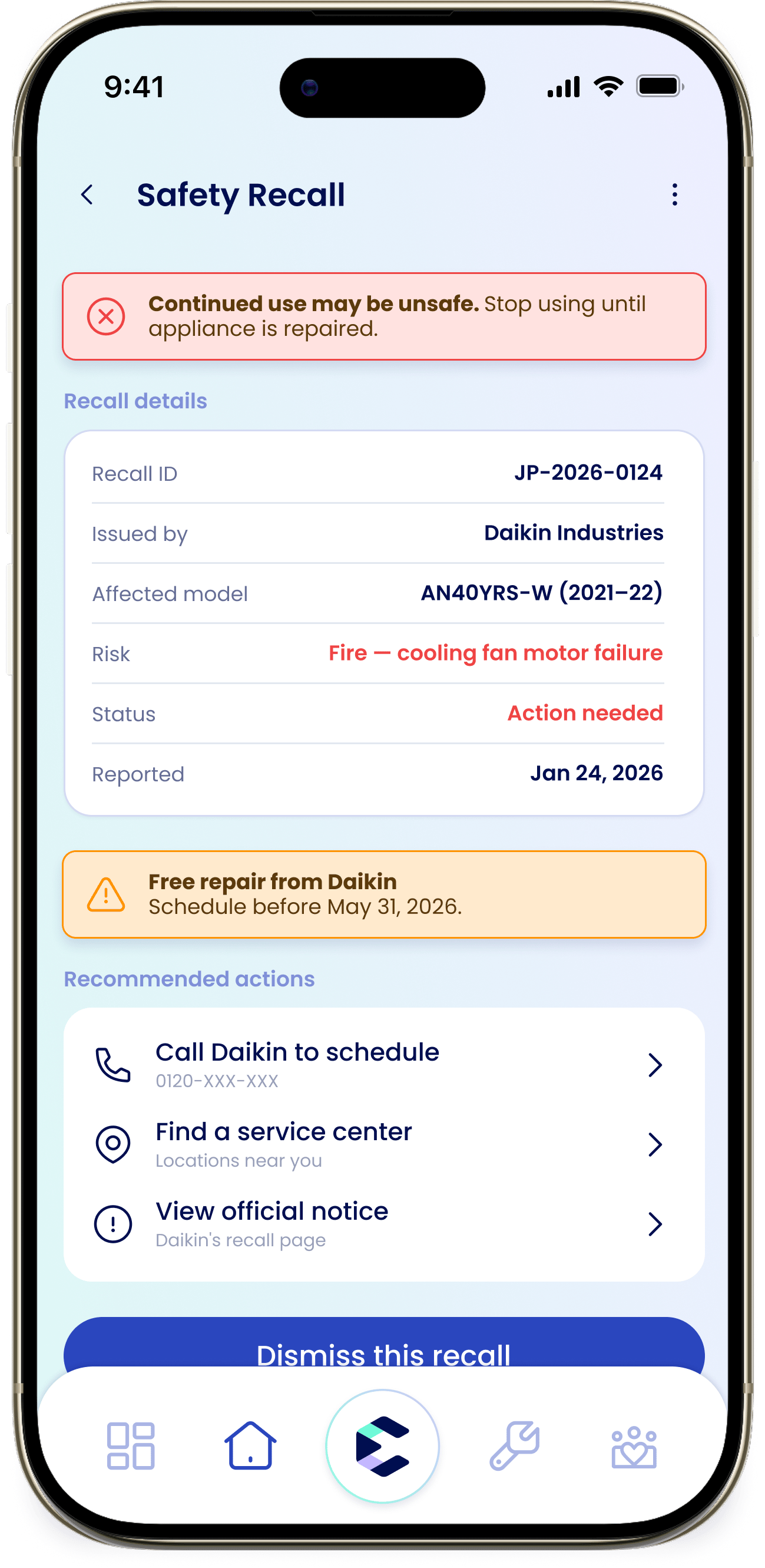
Opening a recall shows you everything you need to act:- Safety banner — for a recall that needs action, eeva shows “Continued use may be unsafe. Stop using until appliance is repaired.”
- Recall details — the Recall ID, who issued it, the affected model, the risk, the status, and when it was reported.
- Recommended actions — call the manufacturer, view the official notice, or reschedule a repair.
Recall statuses
Action needed
You haven’t acted yet.
Repair scheduled
A repair is booked.
Inspection complete
The appliance has been checked or fixed.
Dismiss a recall
If a recall doesn’t apply to you or you’ve already handled it, you can dismiss it.1
Open the recall
Open the recall from your Dashboard or from the appliance.
2
Tap Dismiss this recall
Tap “Dismiss this recall”.
3
Choose a reason
Pick a reason: “I’ve had this inspected or repaired”, “I no longer own this appliance”, “I understand the risk and choose not to act”, or “The recall doesn’t apply to my appliance”.
Dismissing hides the recall from your Dashboard for everyone in your household, not just you. The recall details stay on the appliance, so you can always look them up again. And if the situation changes, like a new severity, the alert can come back.