

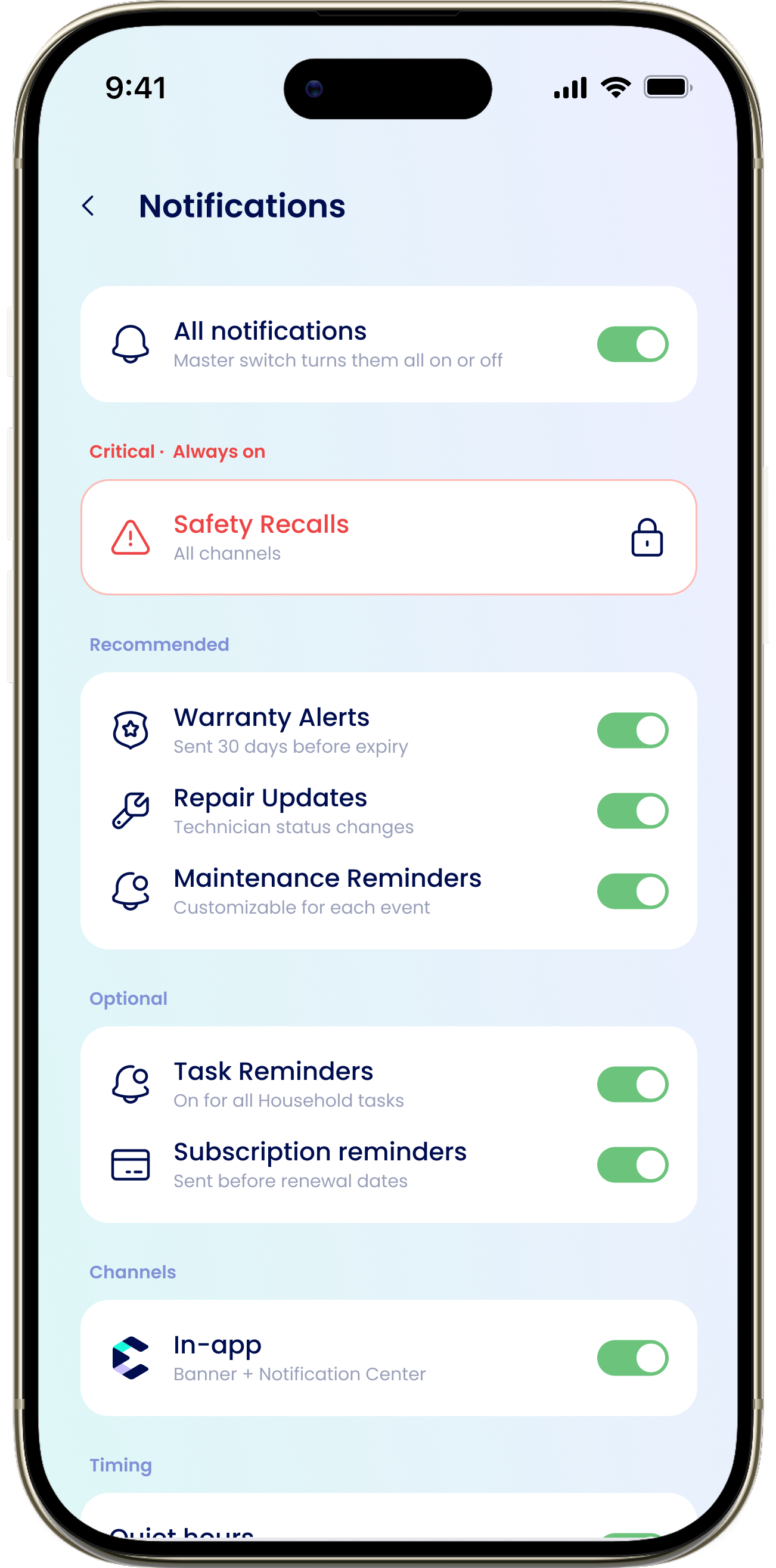
To see notifications you’ve already received, use the bell on the Dashboard instead. See Notification history.
These preferences control what eeva sends you and how. They don’t change the Alerts feed on your Dashboard and Home, which always reflects your household’s current state. To clear an alert, dismiss it or resolve what caused it.
Turn notifications on
If notifications are turned off at the iOS level, a banner reads “Notifications are off” with “Turn on” and “Settings”. Tap through to let eeva send notifications, then use the “All notifications” master toggle at the top to turn everything on or off inside eeva.Categories
Critical · Always on
Safety Recalls / “All channels” — locked and always on. You can’t turn off recall alerts.
Recommended
Warranty Alerts / “Sent 30 days before expiry”, Repair Updates / “Technician status changes”, Maintenance Reminders / “Customizable for each event”.
Optional
Task Reminders — off by default. Turn on for all household tasks, or set them per task.
Channels
Choose how notifications reach you:- In-app / “Banner + Notification Center”
- LINE / “Delivered via LINE”. If LINE isn’t linked yet, you’ll see “Connect LINE to enable this channel” with a Connect button.